Capture once. Keep it in view.
Sticky screenshots for instant review. Say goodbye to tab switching.
Floating screenshots • On-device OCR
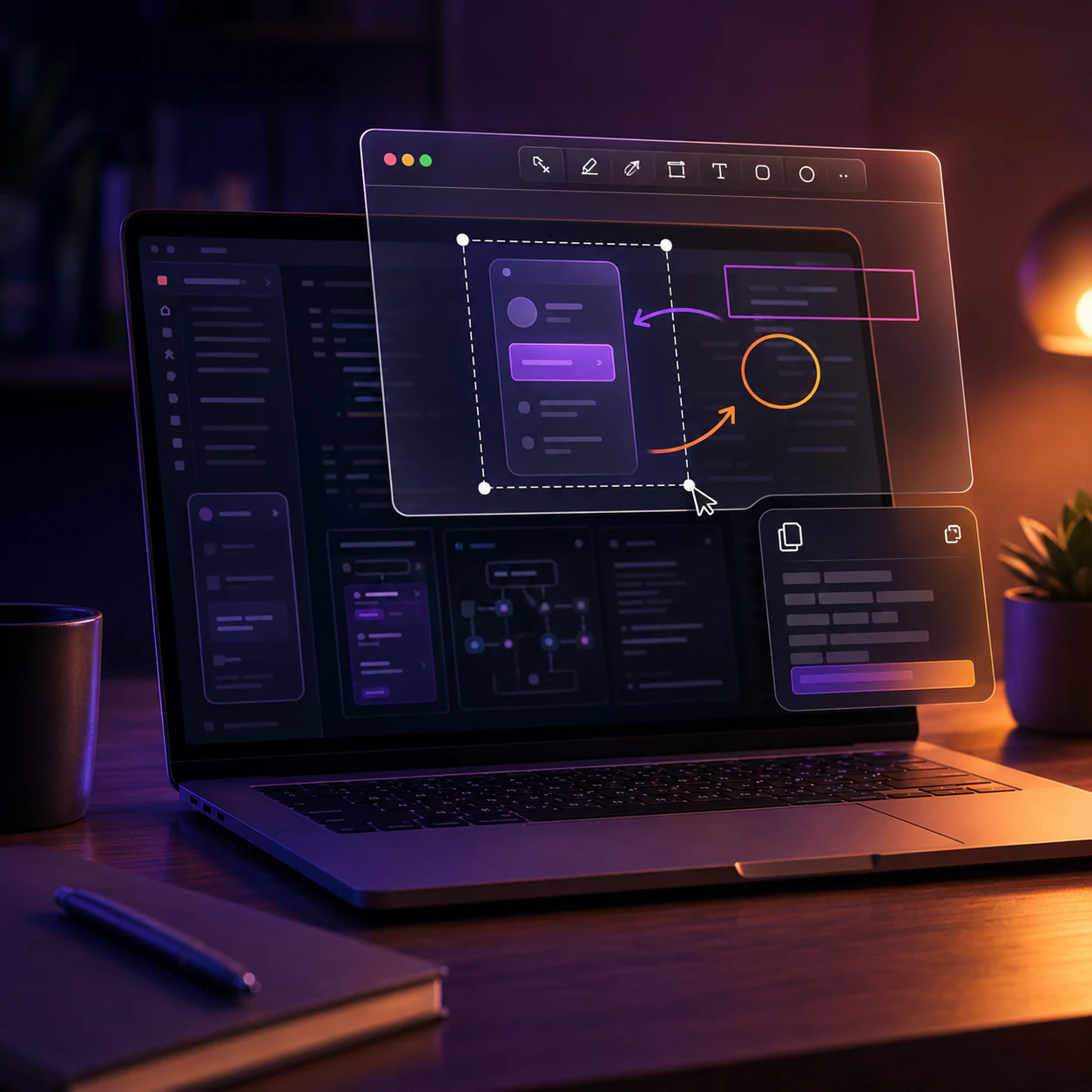
Why SilkySnip Is Different
Most screenshot tools interrupt your workflow. SilkySnip enhances it.
Visual Retention
Keep screenshots above your windows without repeatedly copying them or switching back to another app.
Precision Markups
Add arrows, highlights, shapes, and text directly to a floating screenshot before saving or sharing it.
Transparent Interactivity
Use Ghost Mode to interact with the window behind a transparent snip while keeping the reference visible.
Privacy Obfuscation
Use blur and masking tools to cover faces, email addresses, passwords, payment information, and other sensitive details.
Opacity Control
Adjust a reference's transparency so it remains visible without covering as much of the workspace.
Privacy-First
Capture handling and OCR run on your device, and screenshots are not uploaded for processing. Store services handle installation, trials, purchases, and restoration; optional diagnostics can be disabled.
Quick Restore
Restore a recently closed screenshot with the configured global shortcut.
Keep References Visible
Continue working while a screenshot stays visible above the app underneath.
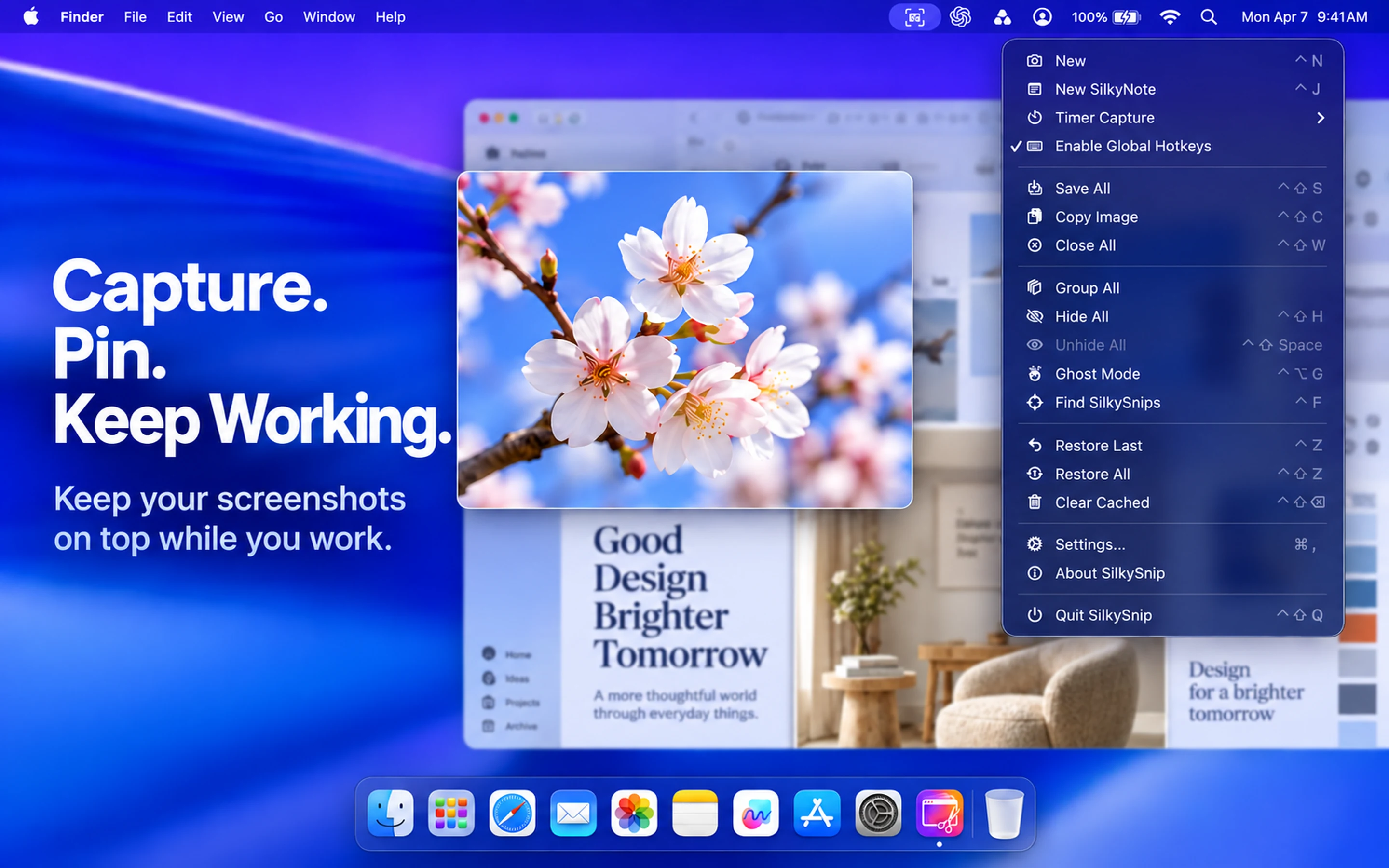
Capture. Pin. Keep Working.
Keep captured screenshots above other applications so references, specifications, and mockups stay in sight while you code, write, or design.
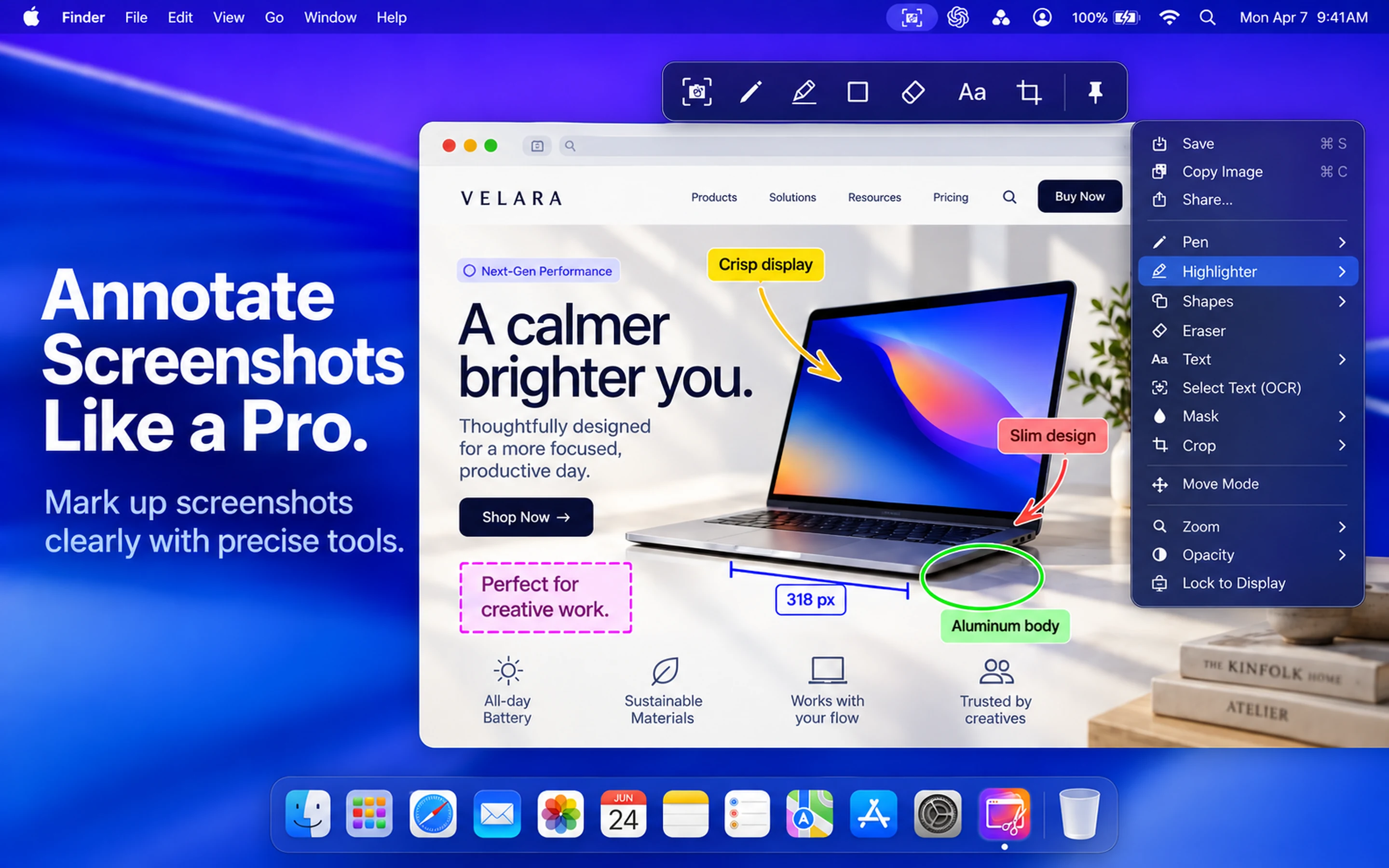
Annotate Screenshots Like a Pro
Mark up screenshots clearly with precise tools. Add vector-based arrows, smooth highlighters, customizable pens, shapes, and clean text overlays directly onto your floating snip without opening heavy image editors.
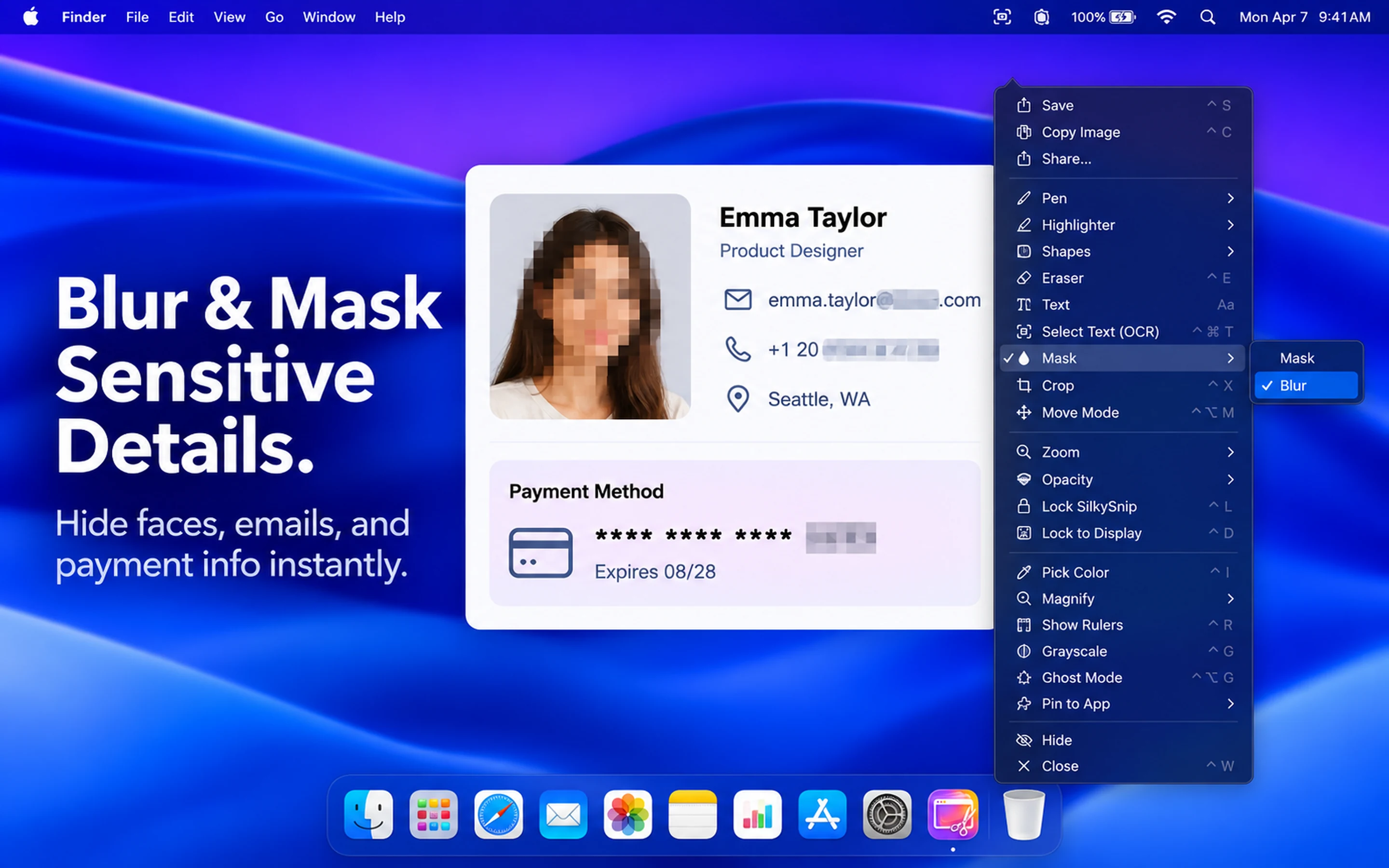
Blur & Mask Sensitive Details
Use on-device blur and masking tools to cover faces, email addresses, passwords, payment information, and other sensitive details before saving, pasting, or sharing captures.
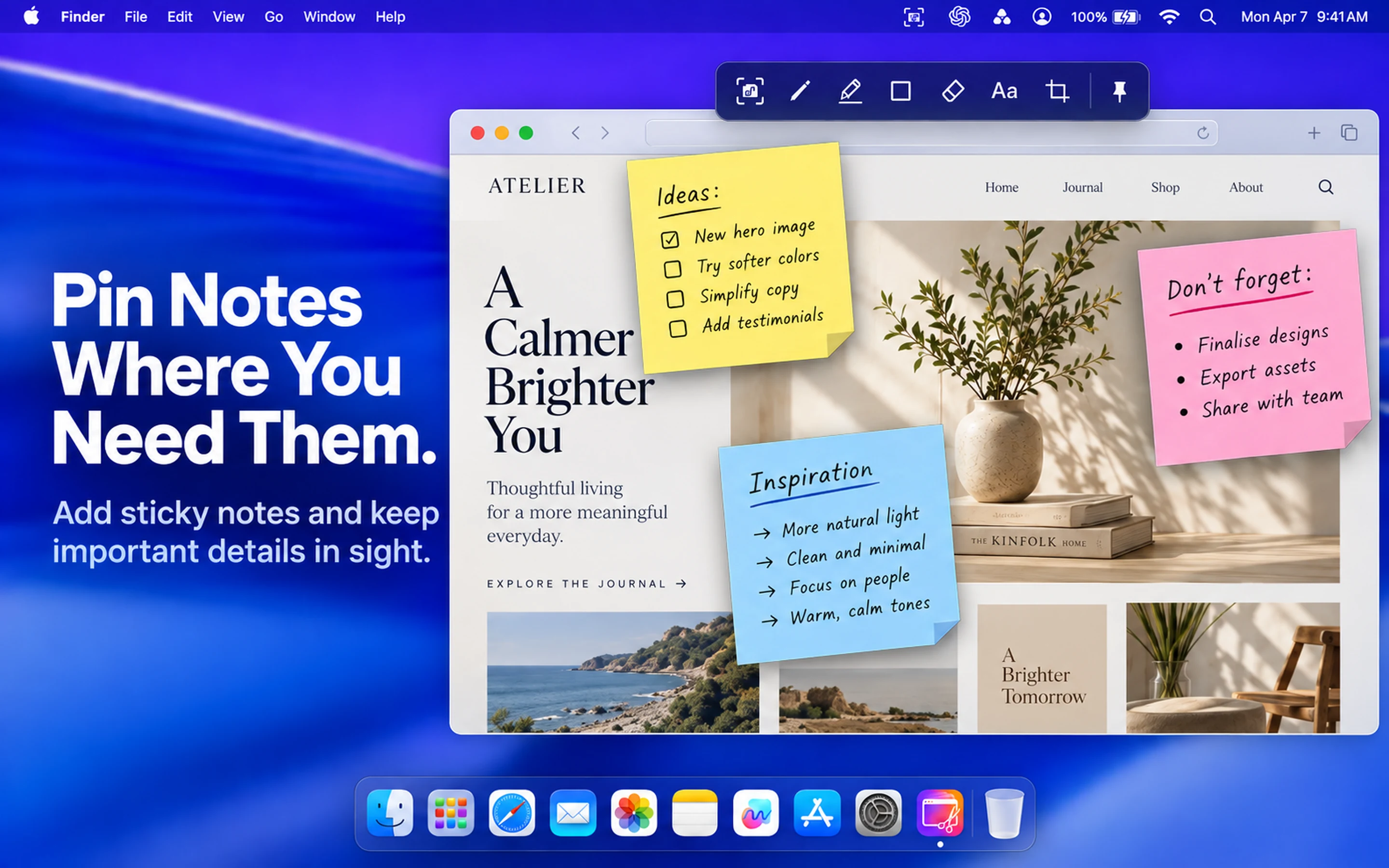
Pin Notes Where You Need Them
Add floating sticky notes directly to your desktop. Designed for focused professionals, SilkyNotes stay pinned over any active application so key thoughts, requirements, and checklists never leave your sight.
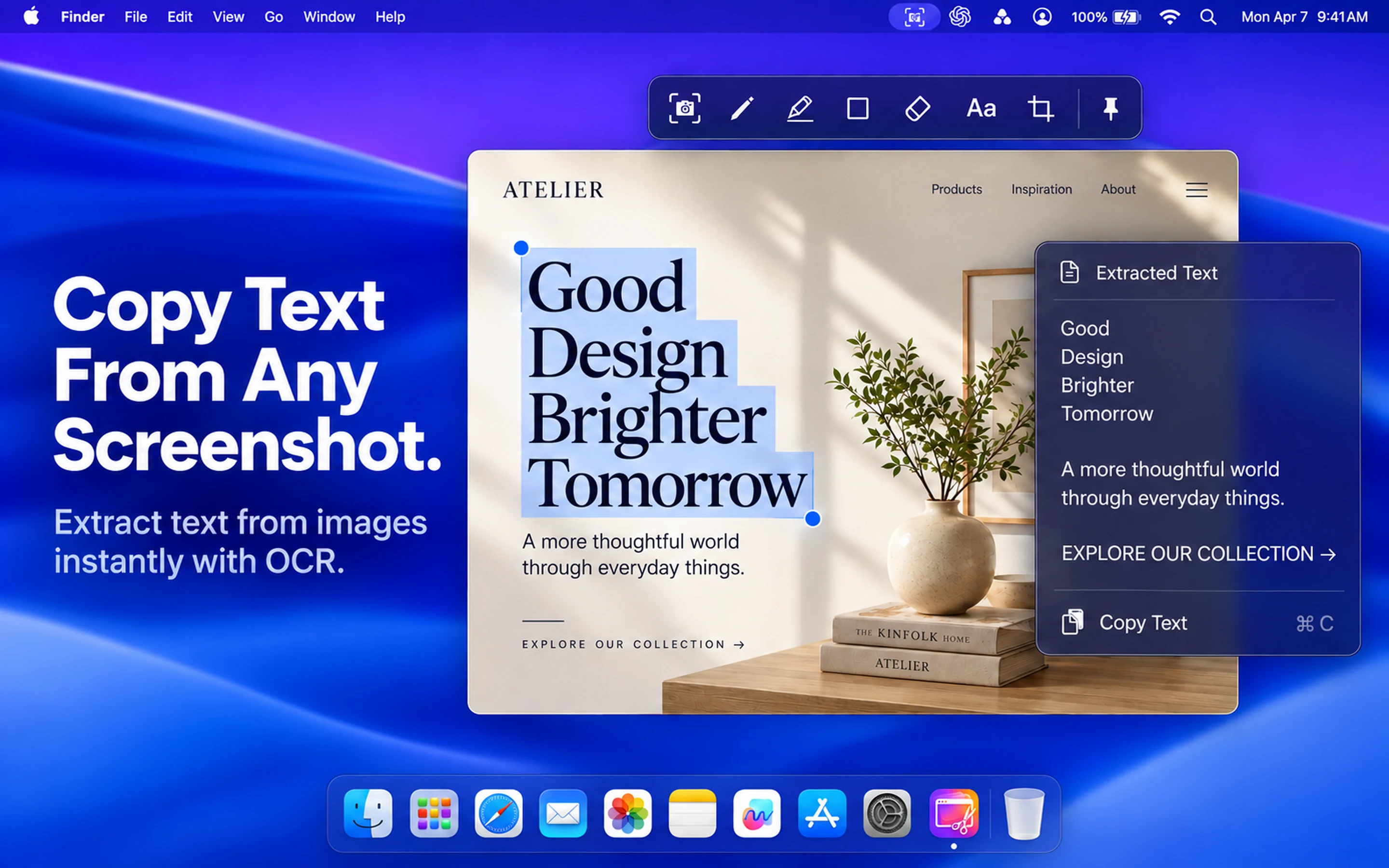
Copy Text From Any Screenshot
Extract text from a captured area with local, on-device OCR. The screenshot is not uploaded for OCR processing.
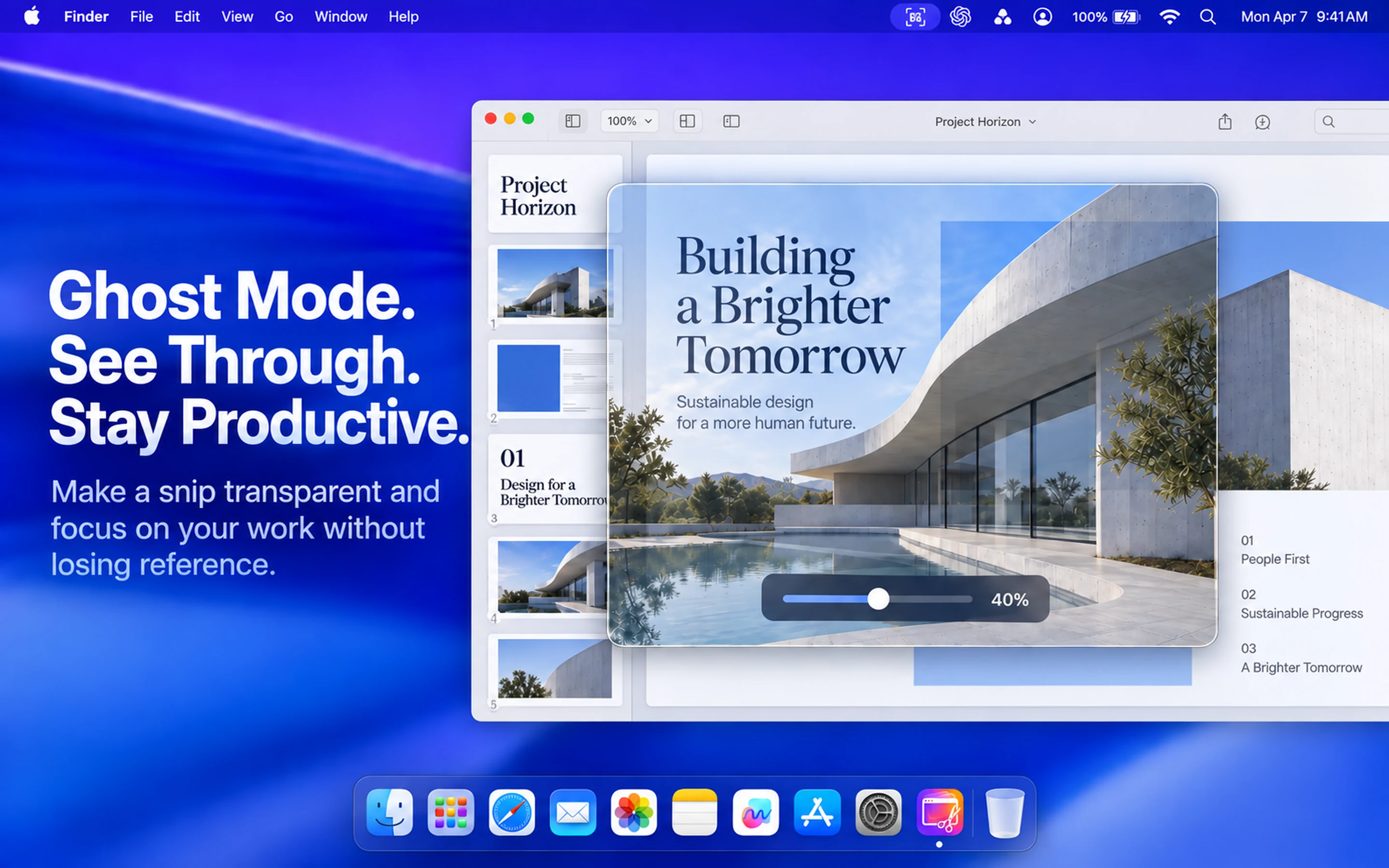
Ghost Mode: See Through & Work
Make a snip transparent and interact with the windows underneath while referencing wireframes, tracing layouts, or following instructions.
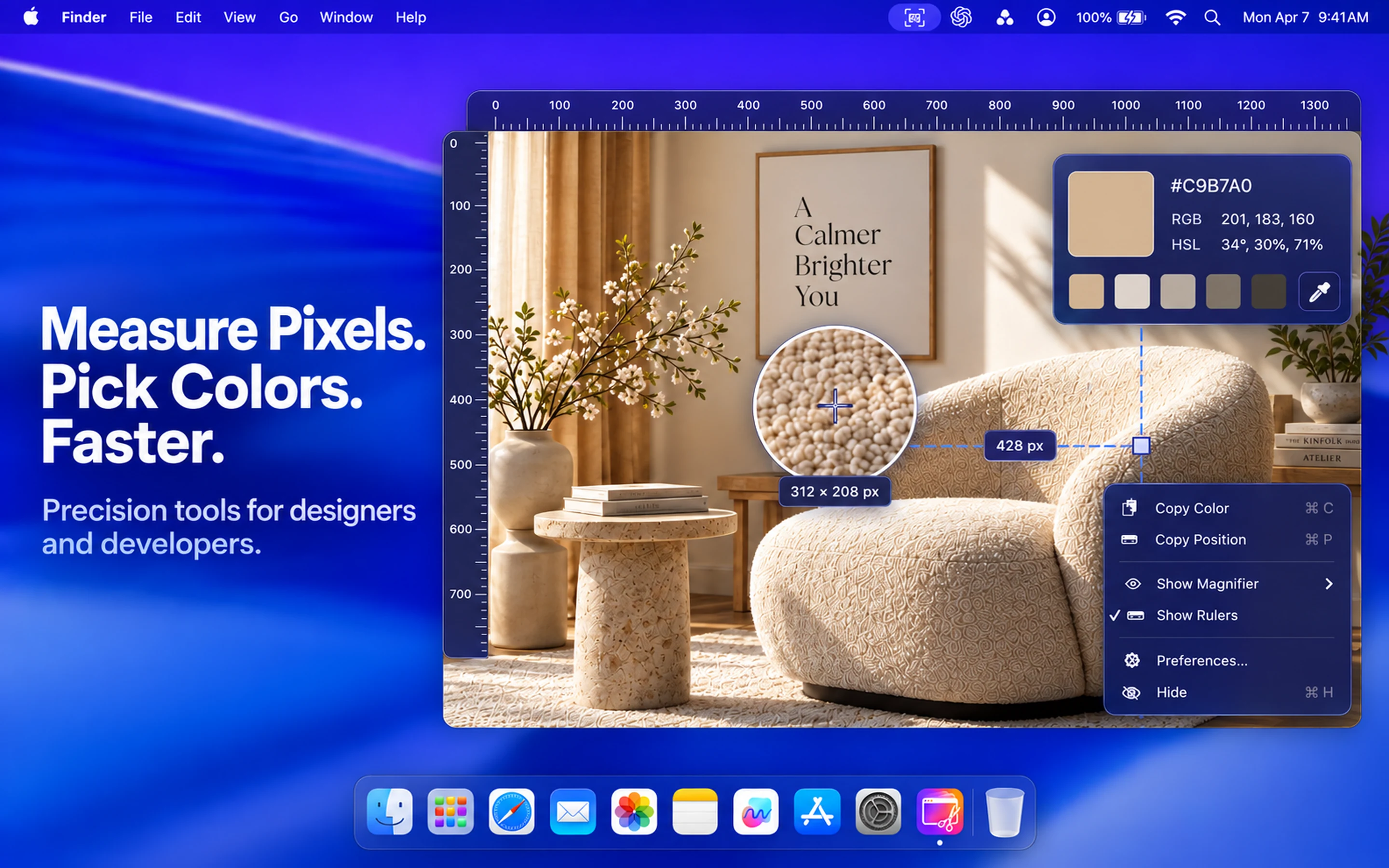
Measure Pixels. Pick Colors. Faster.
Precision tools built for designers and developers. Measure screen dimensions with pixel rulers, examine alignment with the magnification loupe, and sample colors directly in HEX, RGB, and HSL.
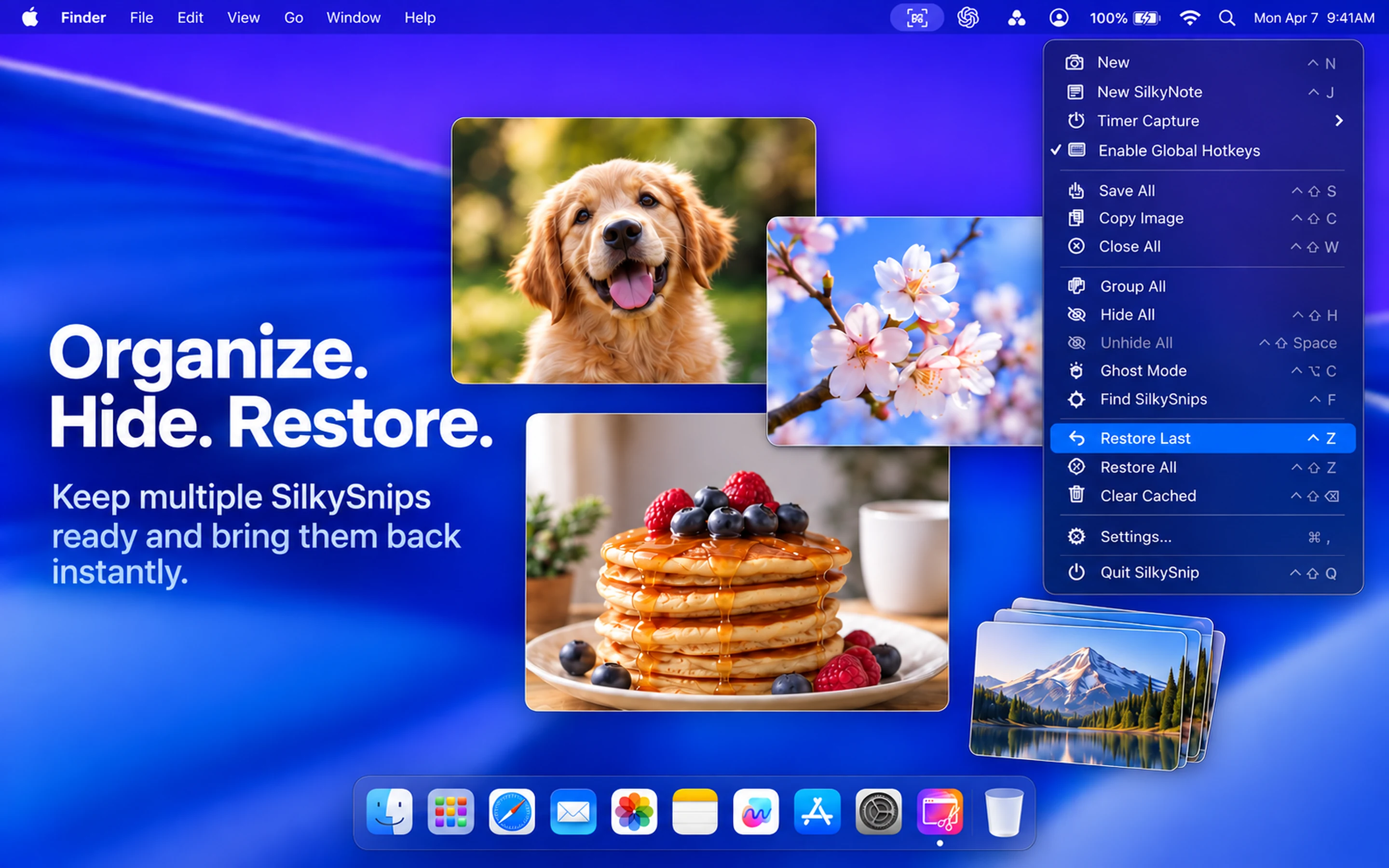
Organize. Hide. Restore.
Keep multiple SilkySnips ready, group or hide floating captures with a shortcut, and restore recent screenshots from session history.
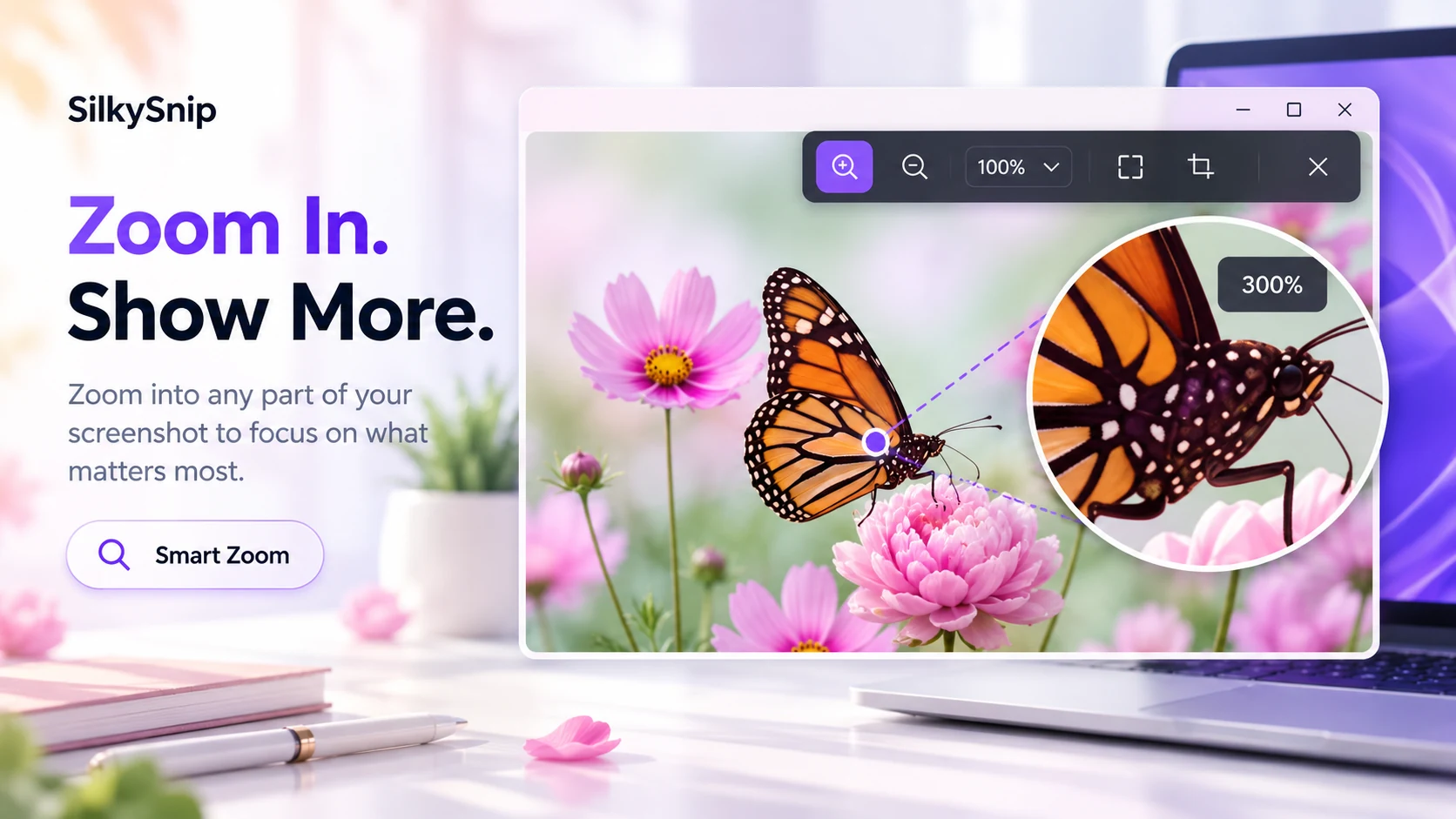
Zoom In. Show More.
Zoom into any part of your screenshot to focus on what matters most. Inspect fine details, verify pixel-perfect typography, and examine interface elements with smooth magnification.
Keep visual context nearby:
Capture, pin, annotate, and continue working.
Engineered
for
Speed.
On-device Text Recognition
Extract text from captures and images with on-device OCR, without uploading the screenshot for processing.
Restore & Undo
Bring back a recently closed screenshot with the configured global shortcut.
Persistent Overlay
Pin screenshots to your screen and keep references visible while you code, write, or design.
Responsive Desktop Utility
Designed to keep capture, overlay, and annotation interactions responsive during everyday use.
Built for Every Workflow
Developers
Extract error codes and snippets from screenshots, then keep the reference beside your editor.
Designers
Pin reference images, colors, and layouts above a design workspace while comparing details.
Students
Capture lecture slides, annotate key details, and restore recently closed references when needed.
Finance
Keep an invoice or statement visible while entering or comparing information in another window.
Compare screenshot apps
Compare capture, pinned references, OCR and annotation.
On smaller screens, scroll the table sideways to compare all options.
| Feature | SilkySnip | CleanShot X | Shottr | Snagit | ShareX | Greenshot | Lightshot |
|---|---|---|---|---|---|---|---|
| Focus | Pinned references | Capture & sharing | Image editing | Visual guides | Automation | Screenshots | Quick sharing |
| Windows | |||||||
| macOS | |||||||
| Region capture | |||||||
| Pin to screen | |||||||
| OCR | On-device | On-device | Windows OCR | ||||
| Annotations |
Features and availability vary by plan. Comparison details & sources
Get SilkySnip
Choose your platform to view current availability, regional pricing, and store terms.
SilkySnip
Our Privacy Promise
Latest from the Blog
SilkySnip for Audit & Compliance
How persistent references can reduce context switching during reconciliation work.
Choosing a screenshot workflow
A practical look at persistent overlays alongside built-in screenshot workflows.
5 Productivity Hacks for Devs
How to use visual buffers to keep your flow state during complex debugging.