Scan equations in seconds — calculate without switching.
Detect multiple formulas from one screen capture and keep the translucent calculator above your current workspace.
Transparent Overlay • Instant Formula Scanner • Always on Top
What if you never had to break your flow?
Context switching kills momentum. Every time you switch away from your code, sheet, or design to open a standard calculator, you lose focus.
Silky Calculator floats directly over your work so you never lose your place.
Why Silky Calculator Is Different
Designed for professionals who need absolute focus.
Ghost Mode
Fade to 50% opacity and click directly through the window to interact with spreadsheets, code, or documents underneath.
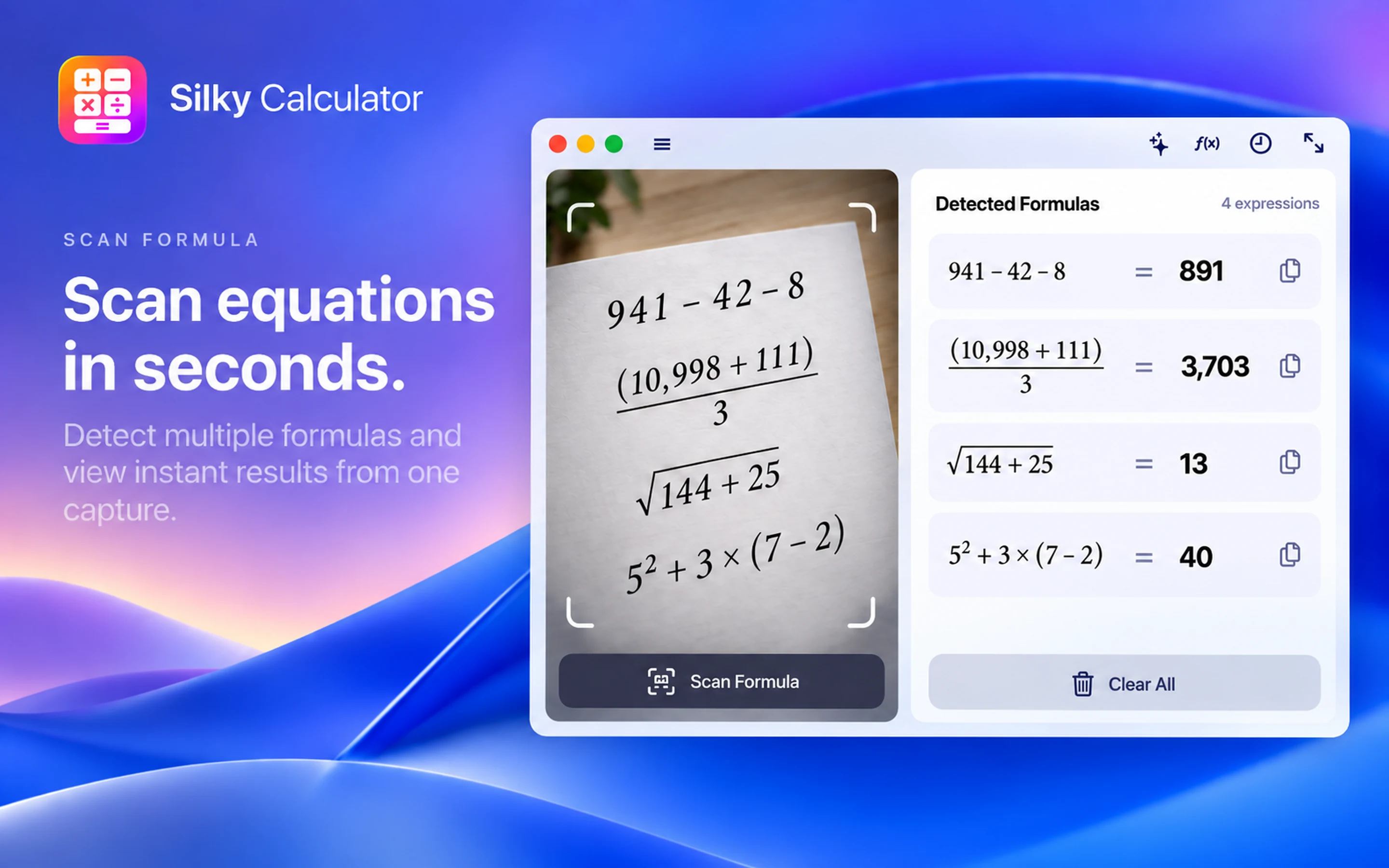
Scan Formula
Drag a selection box over printed or handwritten formulas to solve equations locally on-device in seconds.
Smart Calc
Select multiple numbers from balance sheets or reports and get instant totals, averages, min, and max values.
Compact Bar
Collapse the calculator to a floating single-line pill when you want more room for the workspace underneath.
Full History Tape
Review previous calculations at a glance and reuse intermediate results without re-entering them.
All-in-One Sidebar
Switch seamlessly between Basic, Scientific, Programmer calculators, and deep conversion tools from a unified panel.
11+ Unit Converters
Convert length, weight, area, volume, speed, data, temperature, and currency with zero friction.
Menu Bar Access
Summon, pin, or switch calculator modes directly from the macOS menu bar or global hotkeys at any time.
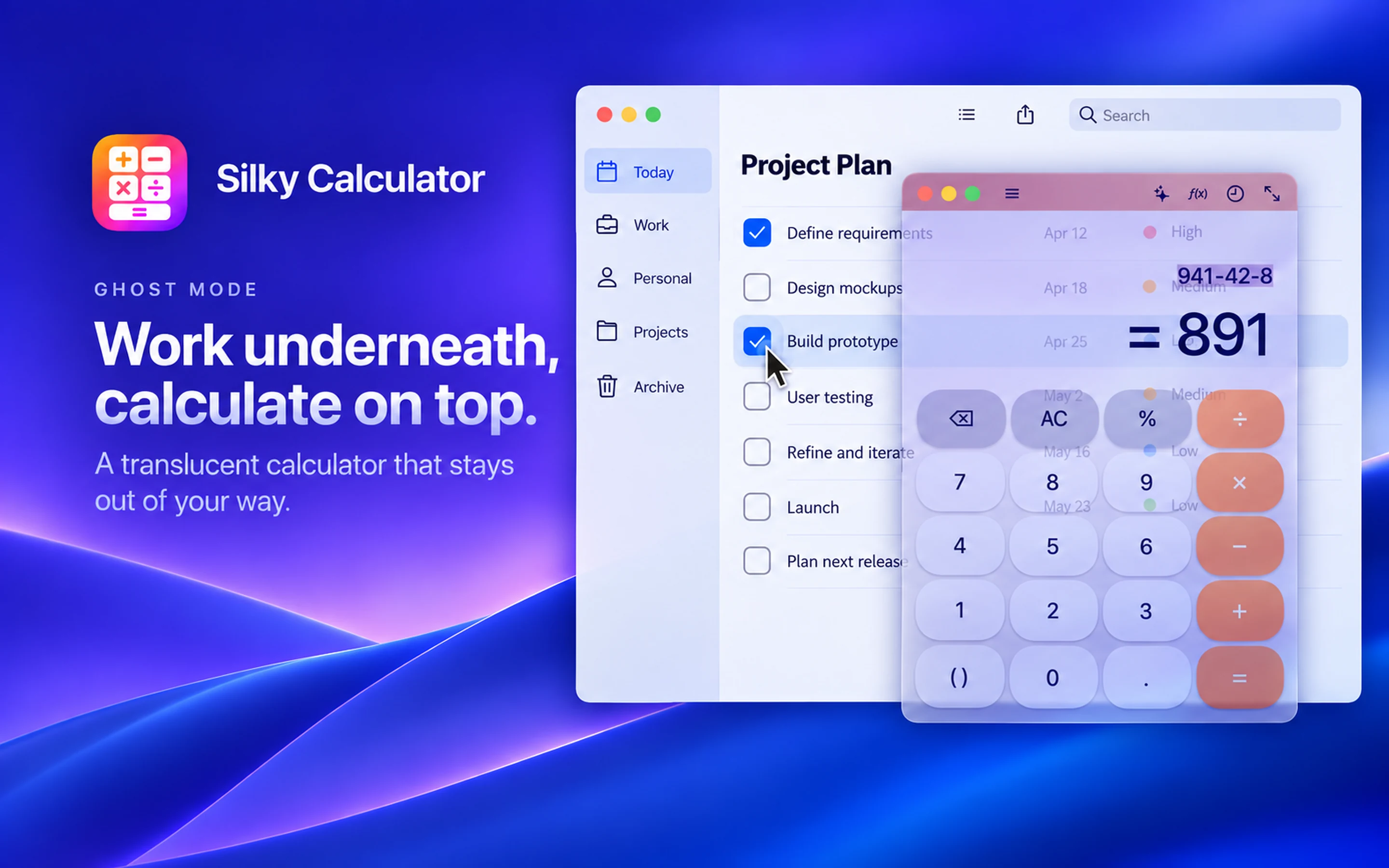
Work underneath, calculate on top.
A translucent calculator that stays out of your way. Fade to 50% opacity and click straight through to interact with underlying documents, code, and spreadsheets without losing your place.
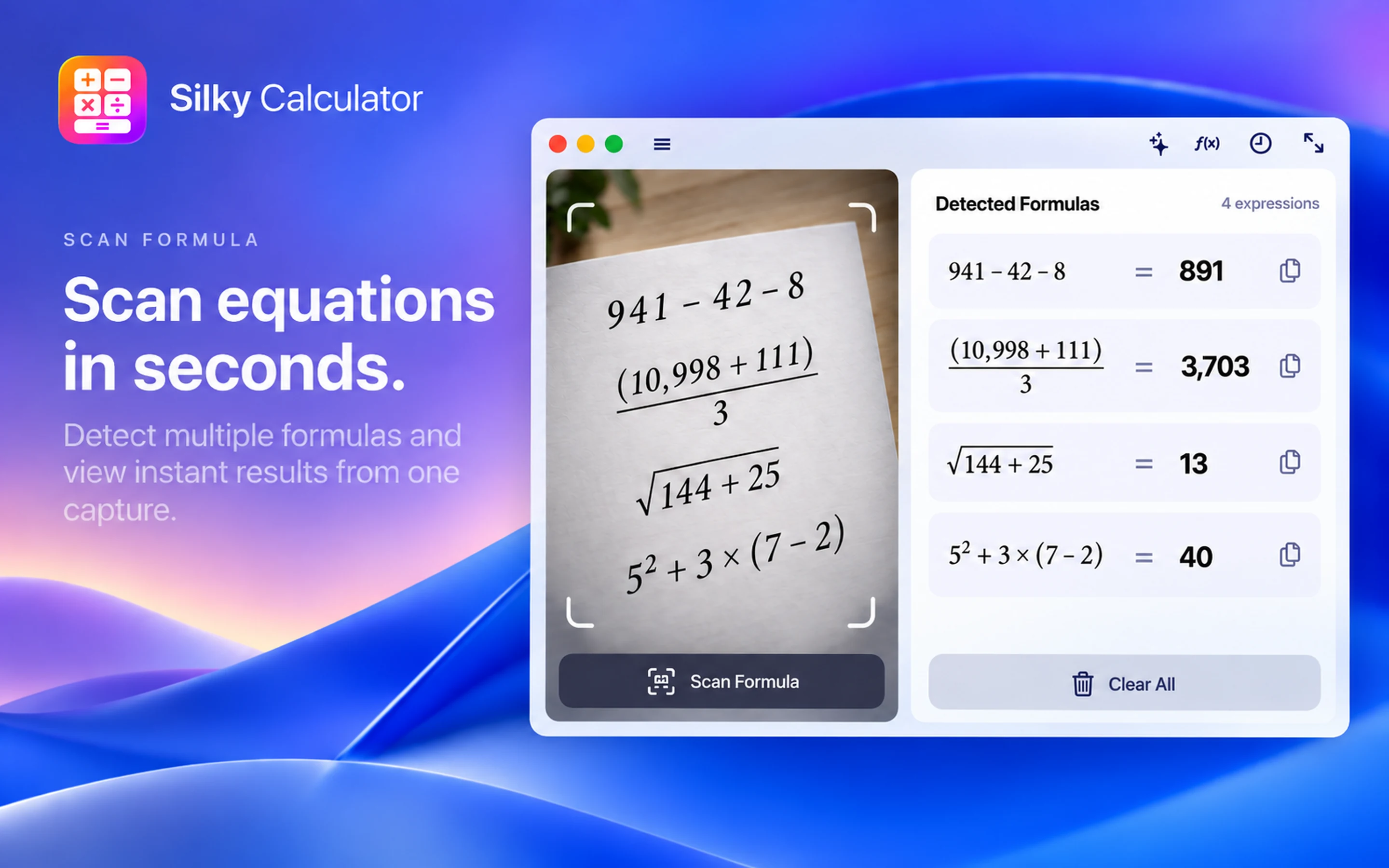
Scan equations in seconds.
Detect multiple formulas and view instant results from one capture. Drag a selection box over printed or handwritten equations to solve them locally on-device.
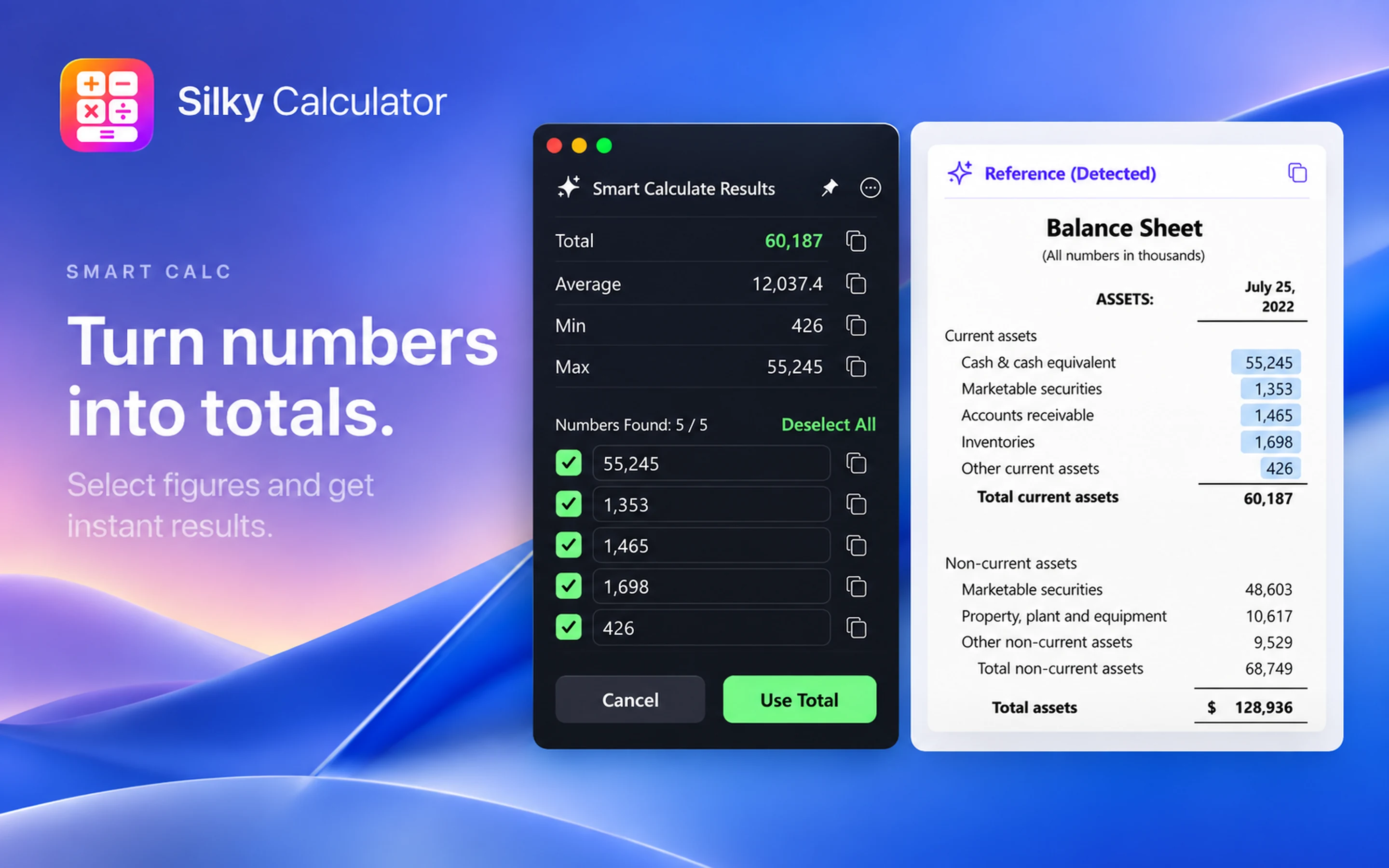
Turn numbers into totals.
Select figures and get instant results. Automatically detects numbers across financial reports, balance sheets, and lists to calculate totals, averages, minimums, and maximums at once.
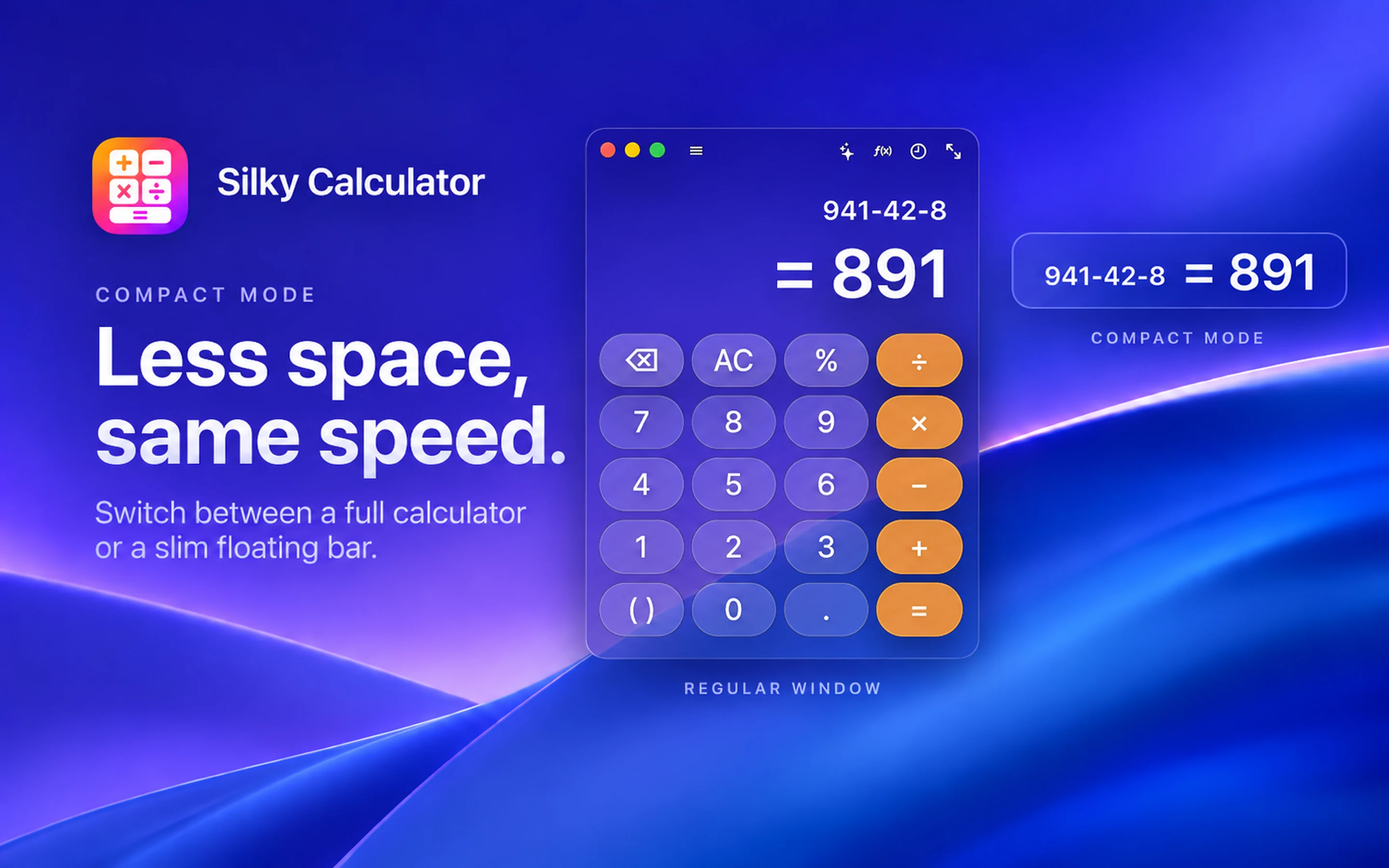
Less space, same speed.
Switch between a full calculator or a slim floating bar. Keep your desk clean and free of clutter while keeping your active calculations always at hand.
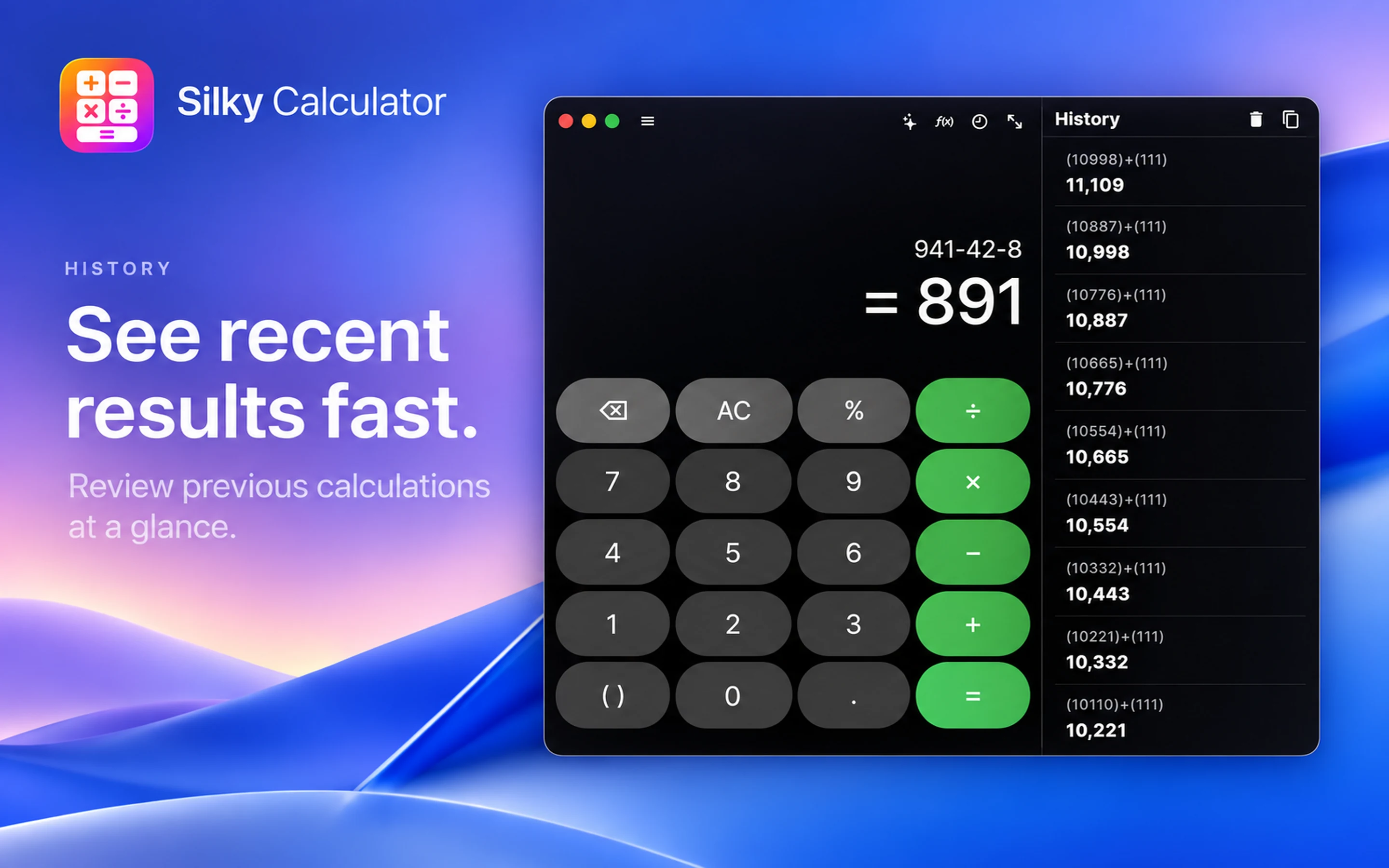
See recent results fast.
Review previous calculations at a glance. Full history tape records every operation with timestamps, copy-paste shortcuts, and total recall.
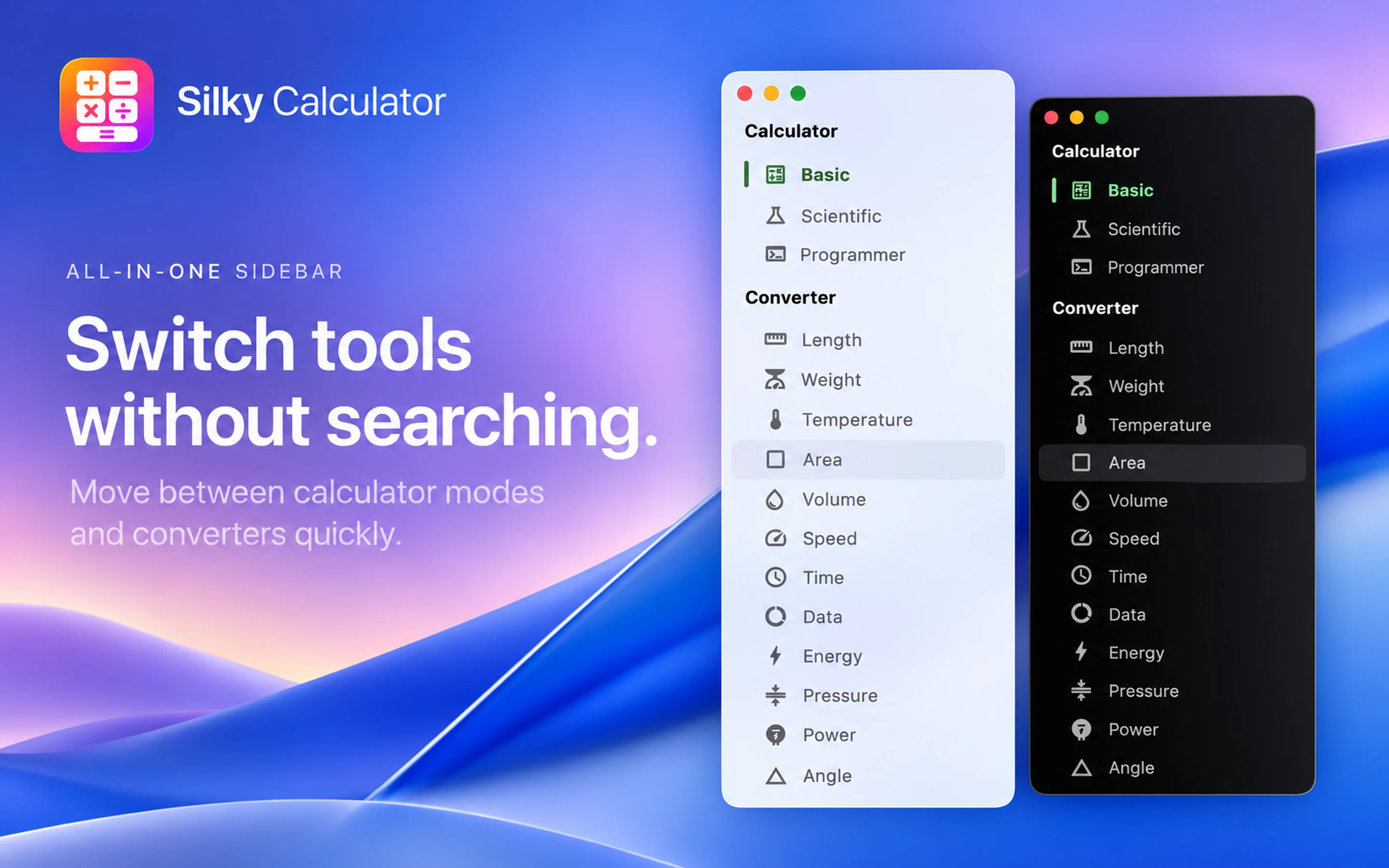
Switch tools without searching.
Move between calculator modes and converters quickly. Access Basic, Scientific, and Programmer calculators alongside a comprehensive conversion suite in one sidebar.
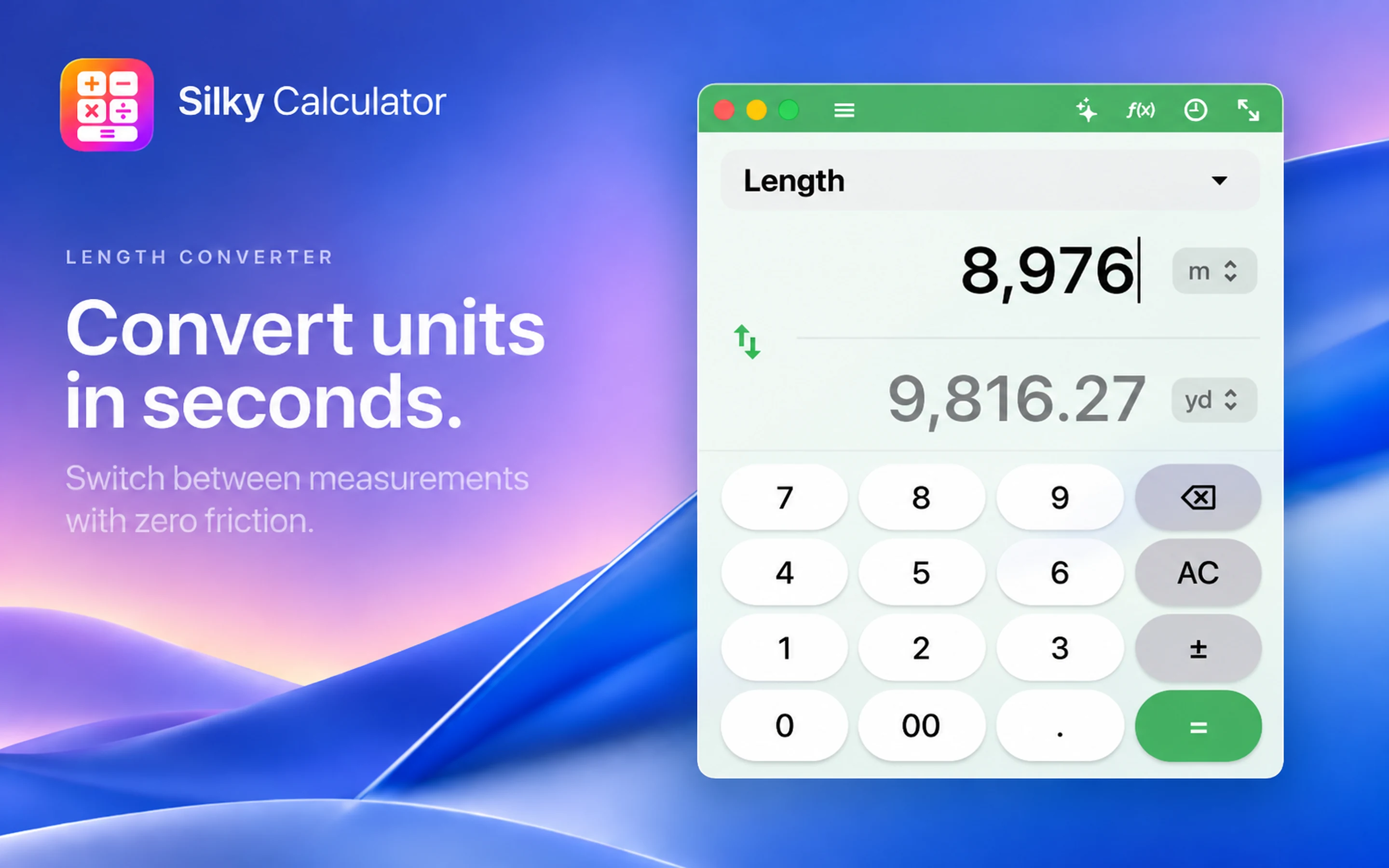
Convert units in seconds.
Switch between measurements with zero friction. Convert length, area, volume, speed, time, data, energy, and pressure seamlessly without opening a browser.
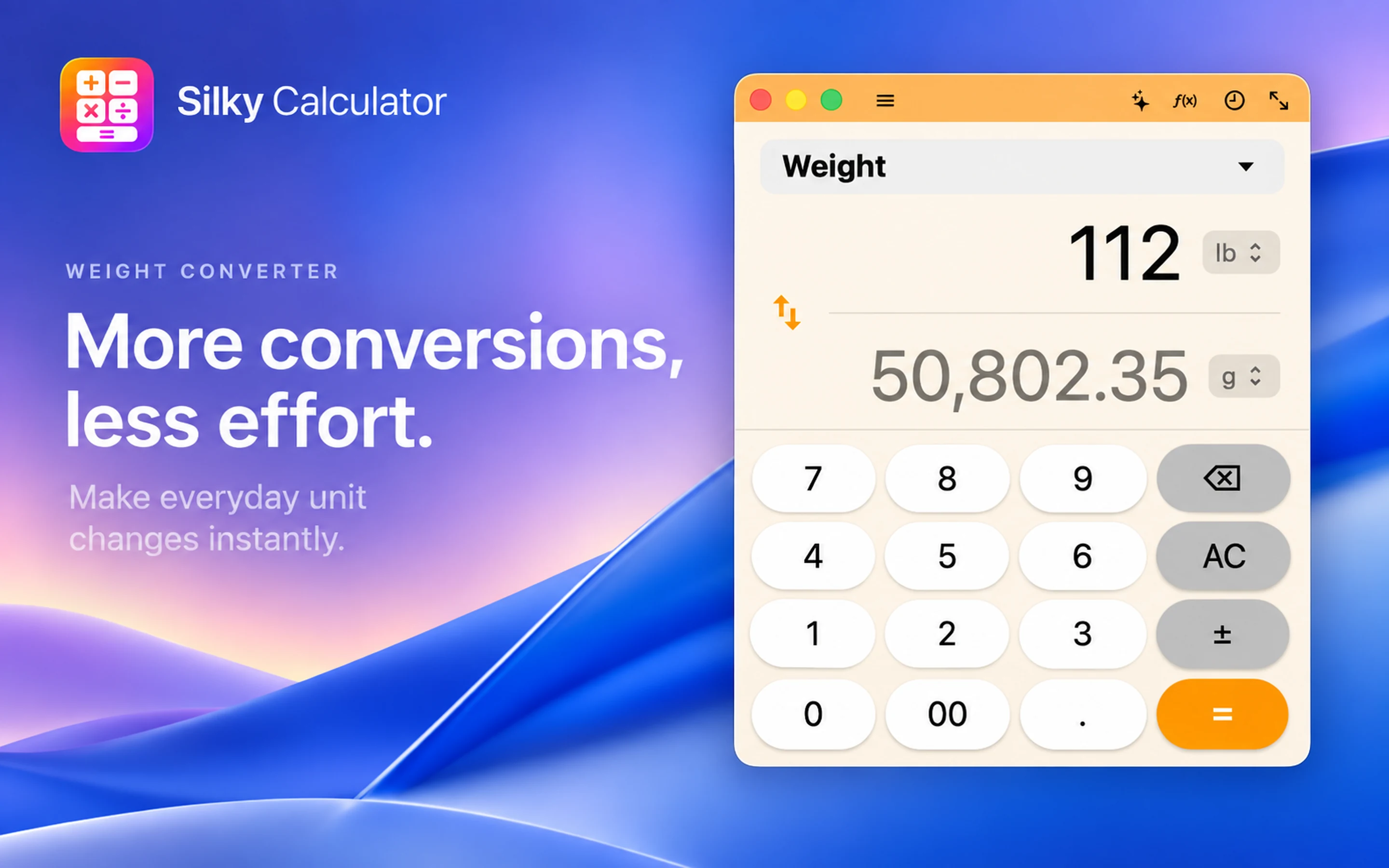
More conversions, less effort.
Make everyday unit changes instantly. Easily toggle between imperial and metric units for pounds, ounces, grams, kilograms, and tons.
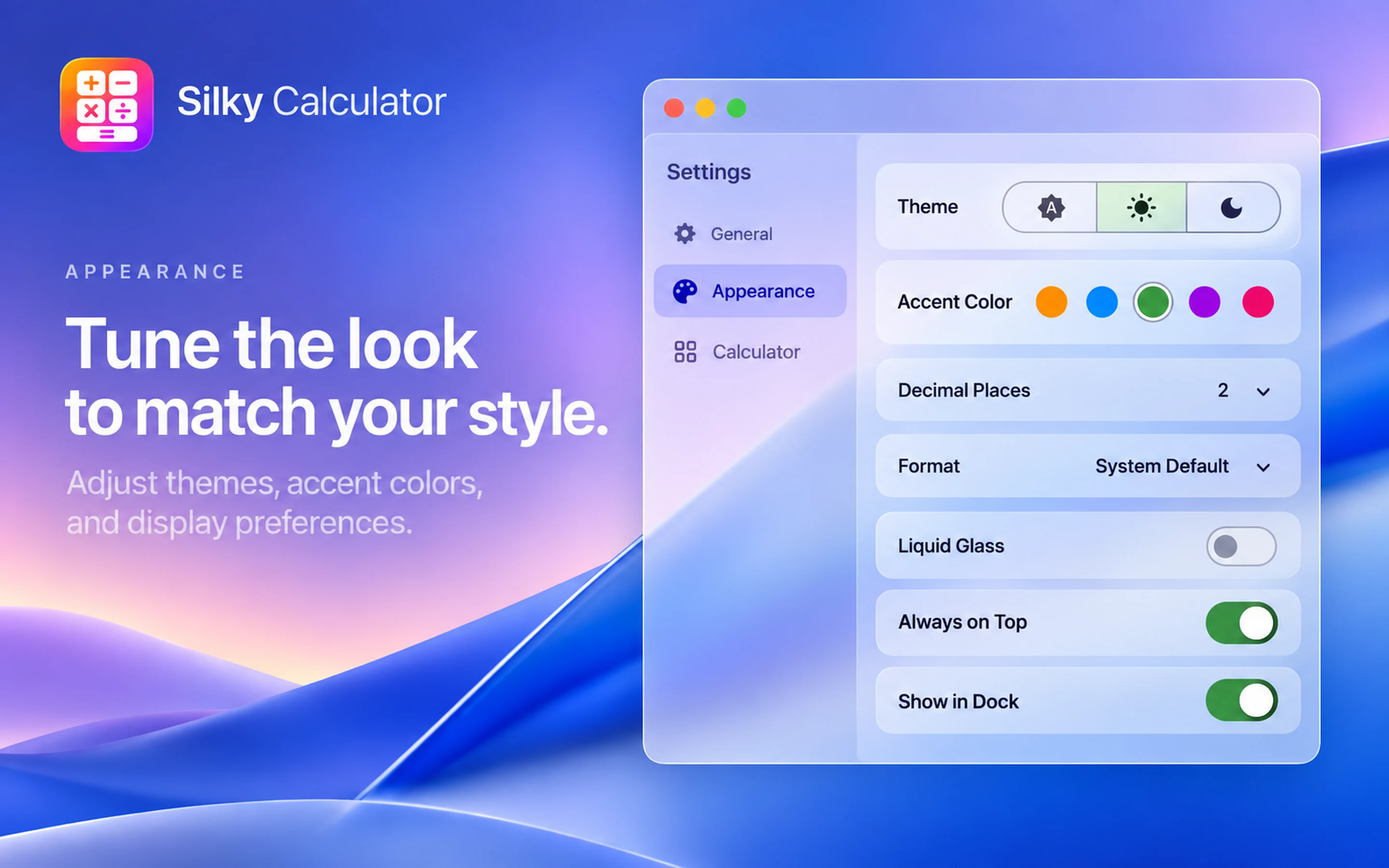
Tune the look to match your style.
Adjust themes, accent colors, and display preferences. Customize decimal places, number formatting, liquid glass effect, and dock visibility to suit your workflow.
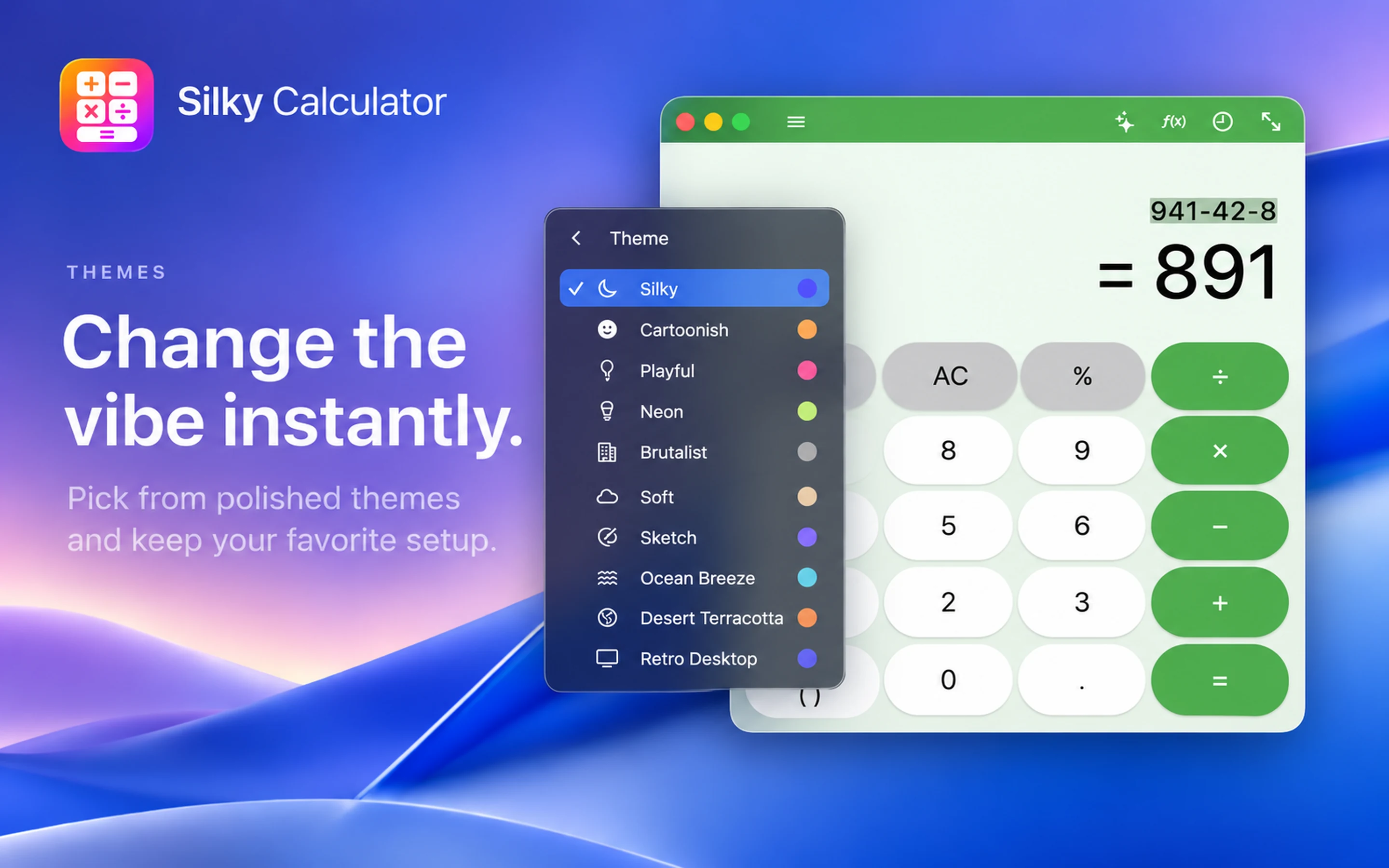
Change the vibe instantly.
Pick from polished themes and keep your favorite setup. From minimal Dark and Light modes to Retro Desktop, Neon, and Ocean Breeze, customize your calculation workspace.
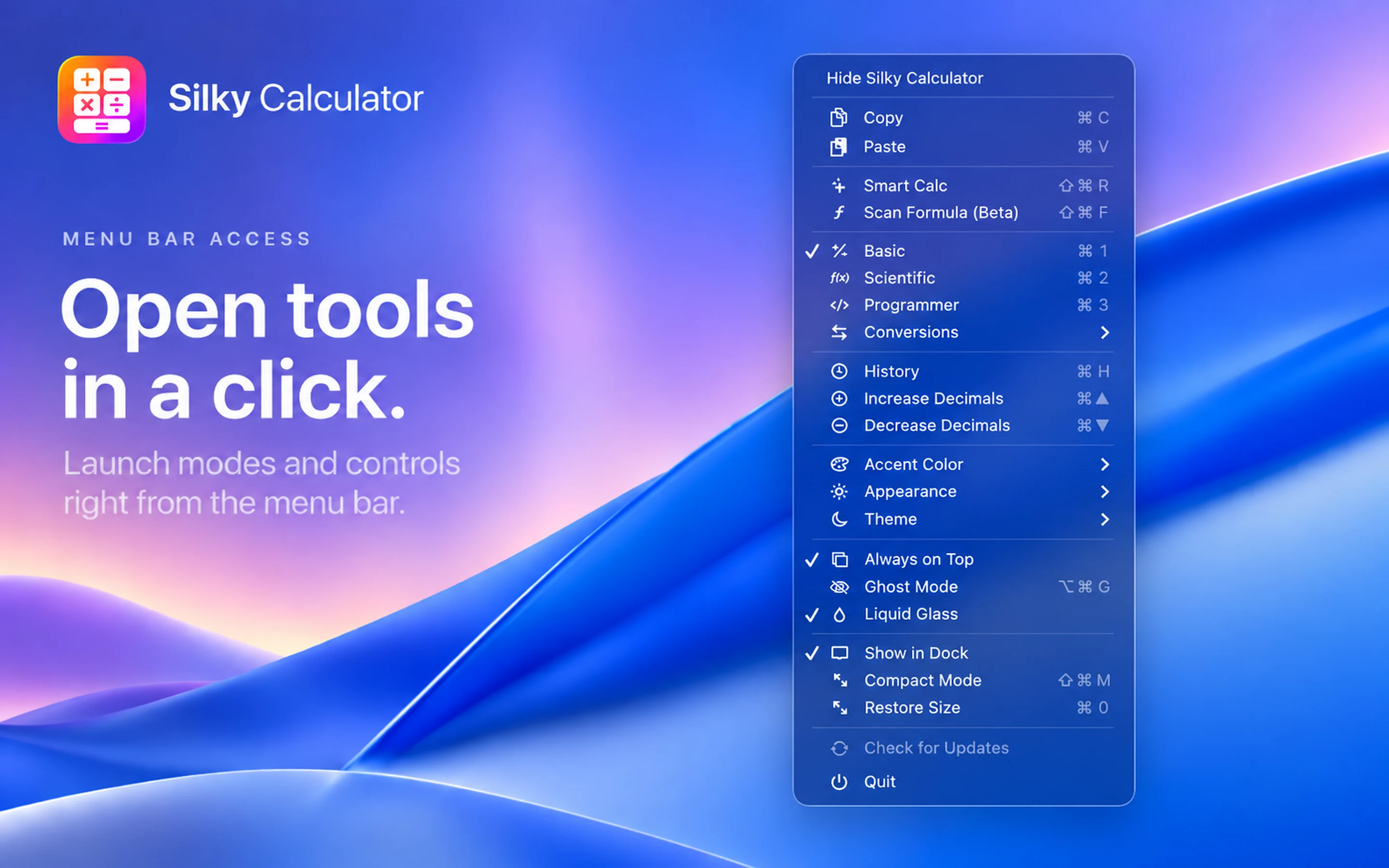
Open tools in a click.
Launch modes and controls right from the menu bar. Quick hotkeys, mode selectors, transparency toggles, and decimal options available instantly from the macOS status bar.
Focus redefined:
Calculate on top of your work without breaking momentum.
Engineered
for
Precision.
Instant Formula Recognition
Drag to scan equations from diagrams, PDFs, and screen captures, then review the recognized result on your display.
Click-Through Ghost Mode
Work underneath while the calculator remains visible as a translucent reference.
Keyboard-First Controls
Full keyboard navigation for scientific functions, memory storage, and unit conversions.
Instant, Lightweight Performance
Launches immediately and runs smoothly in the background, keeping your computer fast, responsive, and battery-friendly.
Built for Every Workflow
Finance & Accounting
Keep cash-flow and balance-sheet calculations above a spreadsheet or financial statement while reviewing source figures.
Developers & Engineers
Keep base conversions and technical calculations visible above an editor or engineering workspace.
Students & Researchers
Scan formulas from lecture slides or research PDFs to avoid retyping complex notation.
Designers & Architects
Keep unit conversions and aspect-ratio calculations above a design workspace while comparing layouts.
Compare calculators and math tools
Compare screen scanning, scientific math and unit conversion.
On smaller screens, scroll the table sideways to compare all options.
| Feature | Silky Calculator | Soulver | Numi | SpeedCrunch | Qalculate! | WolframAlpha | Mathway |
|---|---|---|---|---|---|---|---|
| Focus | Screen scanning | Natural-language notes | Math notes | Scientific math | Units & algebra | Answers | Math solver |
| Windows | App | App | App | App | Web | Web | |
| macOS | App | App | App | App | Homebrew | Web | Web |
| Image input | Screen scan | Pro mobile | Photo upload | ||||
| Scientific functions | |||||||
| Unit conversion | |||||||
| Always on top |
Features and availability vary by plan. Comparison details & sources
Calculate Without Losing Focus
Keep quick, precise calculations on top of your work.